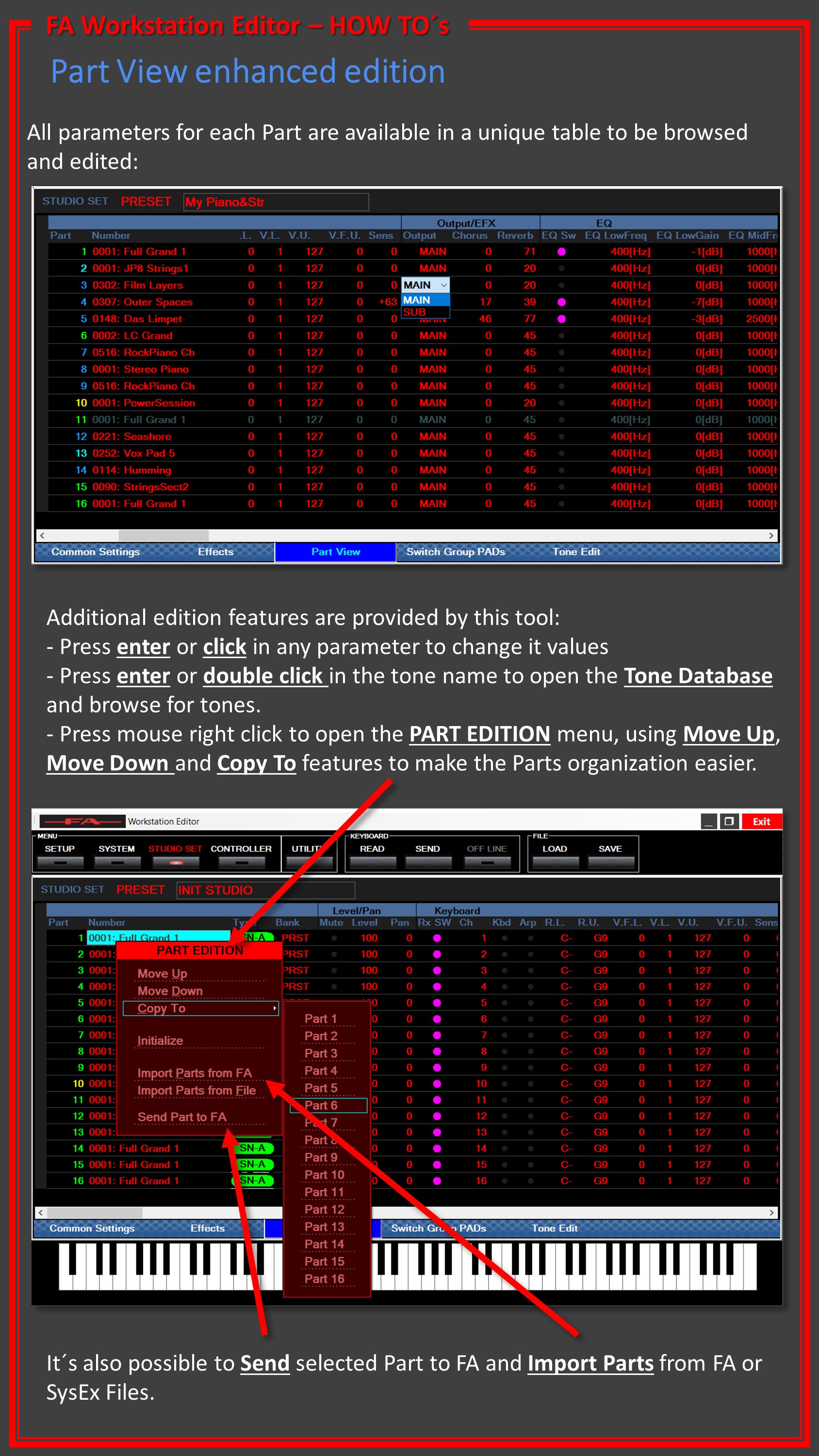
If you want to copy a Tone ( just the sound/patch) you don't use a copy function.
Presuming you are in a multi-track Studio Set,,,go to the track which has the TONE you want to use or move on another track...cursor to the TONE is highlighted....press ENTER (this will then show the TONE as stored in the TONE LISTS on your FA ....just note which of the 0-9 TONE CATEGORY SELECTION BUTTONS LIGHTS UP
e.g. 2 Keyboard/Organ.
Press EXIT and you are back to your STUDIO SET.
Now select the track you want the tone to to be used on...then press the SAME 0-9 CATEGORY BUTTON THAT LIT UP BEFORE....this will then load the same tone here. if you press the ENTER button it will again take you to the TONE LIST , which will let you confirm its the right one.
This will work both for preset tones and user tones which makes it easy to find the one your after in the long lists of tones in some categorise.
This will only find the basic tone as stored but not any refinements you have made via the sound modify nobs or the mixer settings.
I don't think there is anyway to copy all of the tone the settings in a particular track to another.
The main COPY function is focussed on the SEQUENCER settings; midi notes, programme change, control change, pitch bend, etc